TABLE OF CONTENTS
Building a Small Business Website That Actually Works
A small business website can look great and still do very little for the business.
That is the problem this guide is built to solve.
Building a small business website that works is not mainly about picking a template. It is about creating a clear path from a first visit to a useful next step. The site should help the right people find you, understand what you offer, trust the business, take action, and give you a way to measure what happened.
A website also sits inside a bigger marketing system. Our guide to digital marketing services for small businesses explains how websites, SEO, paid search, and other channels support different growth goals.
You can also explore the broader small-business marketing resources from Alchemical Marketing for related guidance on SEO, paid search, and other growth topics.
A website that works has eight building blocks:
- Start with a clear business goal.
- Make the offer easy to understand.
- Build trust.
- Make the next step easy.
- Choose technology that supports the business.
- Give search engines a clear site to understand.
- Work well on the devices people use.
- Track the actions that matter to the business.
The point is not to collect features. Each decision should support one of those building blocks.
1. Start With the Job the Website Needs to Do
Before you choose colors, layouts, or software, decide what success means for the site.
A local service company may want more calls and quote requests. A law firm may want more consultations. A store may want online sales. A restaurant may care about bookings, directions, or orders.
Those are different goals. They should not lead to the same website.
Start with three questions:
- Who is the site trying to reach?
- What does that person need to know before taking action?
- What should that person do next?
These answers shape the rest of the build. They affect the page plan, copy, forms, calls to action, and the tools the site needs.
A useful website brief should also name the main conversion. That may be a call, form, booking, sale, store visit, demo request, or another action that matters to the business.
If you have several goals, decide which one matters most. A page gets hard to use when every button and banner asks for something different.
2. Make It Clear What You Do and Who You Help
A visitor should not need to study the homepage to learn whether they are in the right place.
The top of the site should make a few things clear:
- What does the business offer?
- Who is it for?
- What problem does it solve?
- Where does it serve people when location matters?
- What should the visitor do next?
Clarity beats clever copy when the two are in conflict.
The same rule applies to the rest of the site. Each major page should have a clear job.
A service page should explain one service well. A product page should help someone judge that product. A location page should help people in that market. An About page should build useful trust, not just tell the company story.
How many pages does a small business website need?
There is no set number.
A simple business may only need a few strong pages. A company with many services, locations, or products may need a much deeper site.
Use this rule: create enough pages to answer real customer needs without forcing unrelated topics onto one page.
Do not add pages just because a rival has them or a keyword tool found another phrase. A page should have a real reader job and a real business reason to exist.
3. Use Design to Build Trust, Not Just to Look Modern
Design matters because people use it to make fast judgments about a business.
Good design should make the site easier to read, easier to use, and easier to trust.
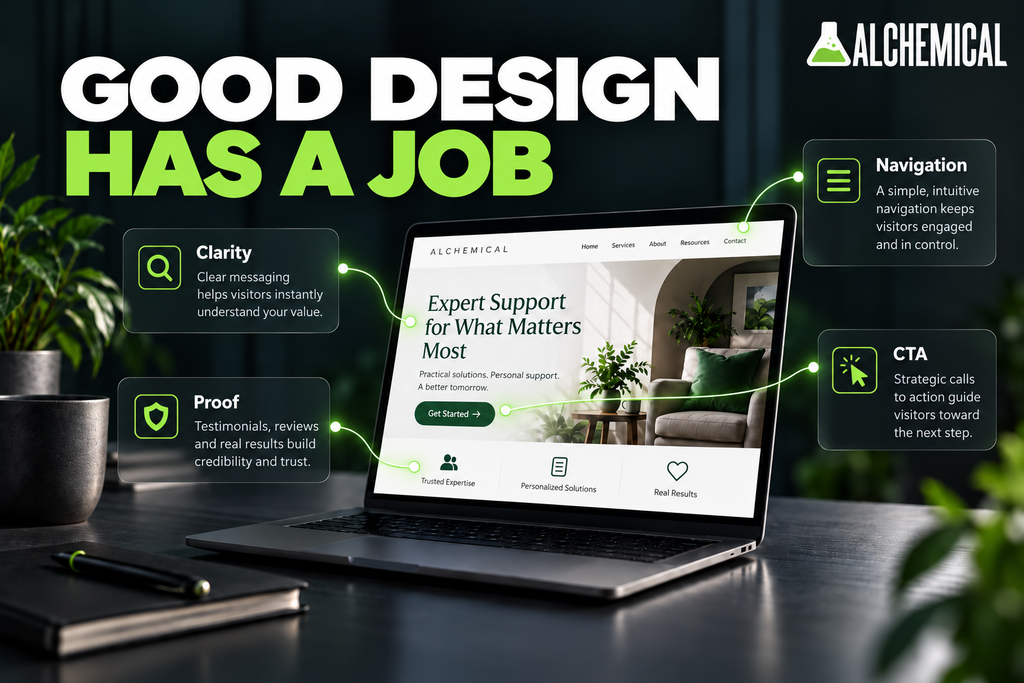
For many small businesses, that means:
- clear visual order
- readable text
- simple navigation
- consistent branding
- useful space between sections
- strong mobile layouts
- real proof near key choices
- clear calls to action
Trust also comes from the content.
Useful proof may include real reviews, case studies, team details, clear policies, awards, licenses, or other facts the business can support. The right proof depends on what the customer is trying to decide.
A person hiring a roofer may care about different proof than someone choosing a dentist, lawyer, consultant, or online store.
That is why design should follow the customer decision, not a list of trends.
We can go much deeper on page design in a separate guide. For this article, the main point is simple: design should help people understand the business and feel safe taking the next step.
4. Make the Next Step Easy
Once the visitor understands the offer and trusts the business, the site needs to make action easy.
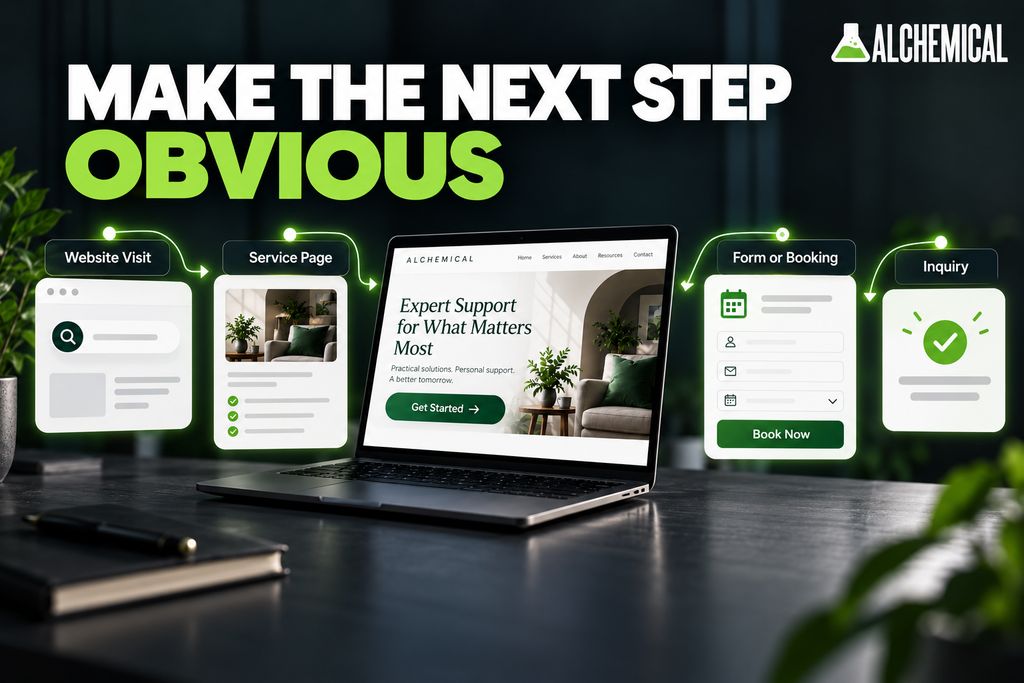
That may mean:
- a clear phone number
- a short contact form
- appointment booking
- online checkout
- quote requests
- live chat
- an AI chatbot
- a store locator
- another action that fits the business
The feature itself is not the strategy.
A feature earns its place when it makes life easier for the customer, captures useful data, or helps the team handle what comes next.
Keep forms focused
The shortest form is not always the best form. But every extra field creates more work.
Ask for enough detail to start the next useful step. If the team needs a ZIP code, service type, or project size to route the lead, that may be worth asking. If nobody uses a field after the form is sent, ask why it is there.
After a form is sent, tell the person what happened. A useful thank-you page can explain when the team will reply, how to call, or what the person can do next.
Separate different customer paths
Some sites serve more than one audience.
A company may need one path for buyers and another for job seekers. A software company may need paths for buyers, partners, and support. A clinic may need separate patient and provider paths.
Do not make those groups fight for the same forms, links, and calls to action.
Clear paths help users. They also make the data easier to read later.
5. Choose a Platform Based on What the Site Needs to Do
The platform matters, but it should come after the business needs are clear.
A quick way to think about the main options:
- Hosted website builders can work for simple sites that need easy editing and limited custom work.
- WordPress can support many types of sites, content, and tools, but it needs a plan for updates, plugins, speed, and security.
- Ecommerce platforms are built around products, stock, checkout, and payments.
- Custom development can make sense when the business needs special workflows or deep system links.
No option is best for every small business.
Before you choose, ask:
- What does the site need to do?
- Who will update it?
- Does it need ecommerce?
- What tools need to connect to it?
- How much custom work is needed?
- How important are content and SEO?
- Who will maintain it after launch?
- How much control does the business need?
Platform choice is a deep topic on its own. We will compare the main small business website platforms in a separate guide.
For now, use one rule: choose the platform after you know the job.
6. Build Search Visibility Into the Website From the Start
A site does not become search-friendly just because someone installs an SEO plugin.
Search starts with clear pages that people and search engines can understand.
Google’s Search Essentials says sites should use helpful, people-first content, clear words in key page areas, and crawlable links that help Google find pages.
For a small business website, that means planning things like:
- clear pages for key services or products
- simple navigation
- useful titles and headings
- crawlable internal links
- mobile-friendly content
- clean URLs where practical
- useful service and location pages when place matters
- redirects and page mapping during a rebuild
Do not try to make one homepage rank for every service, city, and customer question.
A clear site structure gives key topics room to be explained well. It also helps users move to the next useful page.
Building those basics into the site is only the first step. Our small business SEO guide goes deeper into keywords, technical SEO, Local SEO, content, links, AI search, and how to pick the right search goals.
7. Make Mobile Use, Speed, Accessibility, and Security Part of the Build
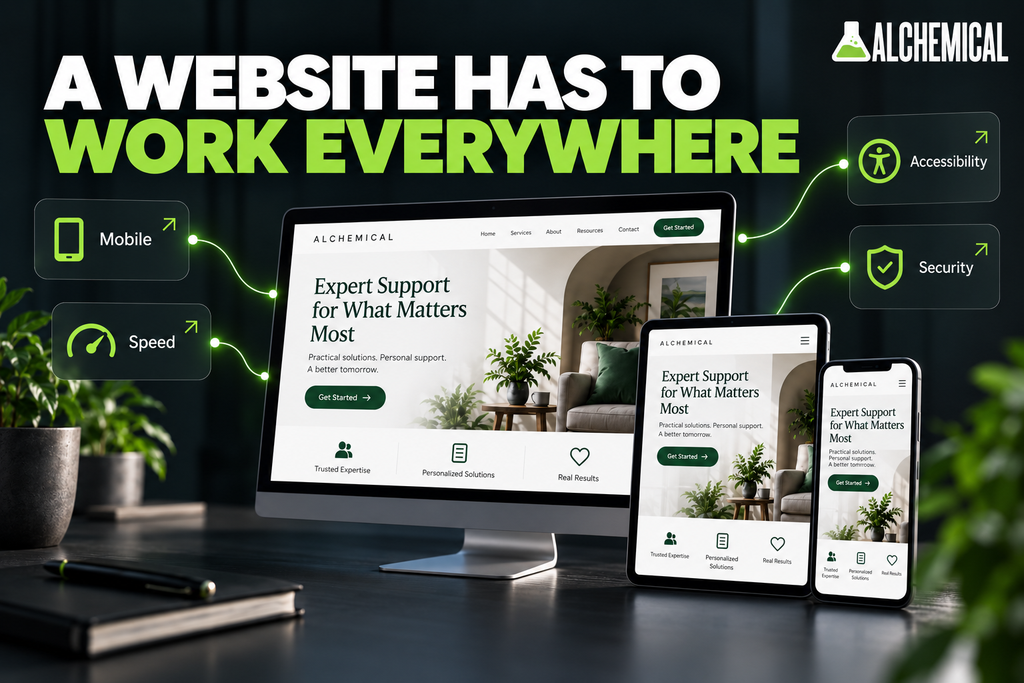
A website cannot do its job if people struggle to use it.
Design for mobile use
Google uses the mobile version of a site’s content for indexing and ranking. That makes mobile a core part of the build, not a smaller copy of the desktop site.
Test the real tasks a person may do on a phone.
Can they read the page? Tap the buttons? Use the menu? Fill out the form? Call the business? Book an appointment? Finish a purchase?
Mobile testing should focus on those tasks, not just whether the page fits on a small screen.
Watch real speed and stability
Google’s Core Web Vitals focus on load speed, response, and visual stability.
- For these three metrics, Google’s recommended targets are evaluated at the 75th percentile of page loads, split between mobile and desktop:
- Largest Contentful Paint within 2.5 seconds
- Interaction to Next Paint under 200 milliseconds
- Cumulative Layout Shift under 0.1
These are useful signs of site quality. They are not the whole story.
A slow site may need smaller images, fewer scripts, better caching, cleaner code, better hosting, or other fixes. The right answer depends on what is causing the delay.
Build accessibility in from the start
Accessibility is part of a good user experience.
WCAG 2.2 is the latest W3C Recommendation for web content accessibility. Common steps include readable contrast, clear form labels, keyboard access, useful alt text, visible focus states, and buttons that are easy to use.
Accessibility is easier to plan during the build than patch later.
Plan for security and upkeep
Use HTTPS. Keep software and plugins up to date. Plan backups. Limit access. Know who is in charge of maintenance.
A website is not a one-time file. It is a live business tool.
8. Build Measurement Into the Site Before Launch
A website is hard to improve when nobody can tell what people do on it.
Set the important actions before launch. Then make sure those actions can be tracked.
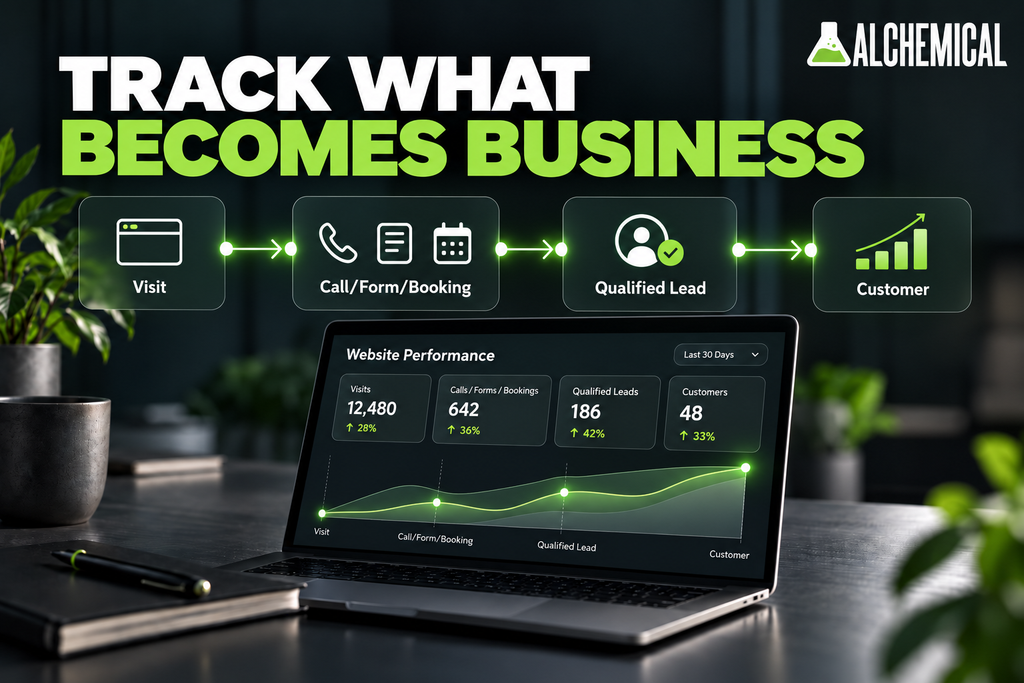
The right events depend on the business. They may include:
- phone calls
- contact forms
- quote requests
- bookings
- purchases
- demo requests
- email signups
- qualified leads
- completed sales
Traffic gives context. It does not tell you whether the site is helping the business.
A better path looks like this:
Website visit
-> useful action
-> qualified lead or sale
-> customer outcome
You may not be able to tie every visit to revenue. That is fine. The goal is to get enough data to make better choices.
If one page gets many leads but few good ones, that matters. If another page gets less traffic but better customers, that matters too.
Tracking turns website improvement from opinion into a process.
What Does It Cost to Build a Small Business Website That Works?
There is no useful single price for a small business website.
A five-page site is not the same project as a large lead-generation site with custom forms, CRM links, booking, ecommerce, old content to move, and SEO needs.
Cost can change based on:
- number and type of pages
- custom design
- copy and content
- ecommerce
- booking tools
- custom features
- third-party tools
- content or data moves
- SEO and redirect work
- analytics and tracking
- speed and accessibility work
- photos and video
- support after launch
When you compare quotes, compare the scope, not just the final number.
A cheaper build may leave out copy, tracking, SEO planning, testing, or support. That may be fine if you do not need those things. But it is not the same product.
The budget should match the role the website needs to play in the business.
Should You Build It Yourself or Hire a Professional?
DIY can be enough when the site is simple, the risk is low, and the owner has time to manage it.
The choice changes as the site becomes more important to growth.
Professional help becomes more useful when the site needs to:
- bring in a major share of new leads or sales
- support Google Ads or other paid traffic
- compete in search
- serve many services or locations
- handle ecommerce or booking
- connect with a CRM or other systems
- track lead quality
- support custom design or features
- protect SEO during a rebuild
- meet higher speed, access, or security needs
An owner may be able to learn all of those skills. That does not mean doing so is the best use of the owner’s time.
The more the business depends on the site, the more sense it makes to treat the build as a real business project.
How to Evaluate a Small Business Website Partner
A good website partner should be able to talk about more than colors and software.
Before you hire a team, ask:
- What business goal will guide the site?
- How will you decide which pages we need?
- How will you plan for mobile use and speed?
- What SEO basics are part of the build?
- How will calls, forms, bookings, or sales be tracked?
- Who owns the domain, hosting, files, content, and data?
- How will you protect old rankings and links during a rebuild?
- How do you test forms and key user paths?
- What happens after launch?
- How do you decide which features are worth adding?
A strong answer should tie design and development choices back to the business.
If professional help makes sense for the project, review Alchemical Marketing’s web design and development page to see the current details and compare them with the needs you identified above.
The Small Business Website “Does It Work?” Checklist
Before launch, or before spending more on an old site, run this test.
Can a new visitor:
- Understand what the business does quickly?
- Tell whether the offer is right for them?
- Find the service, product, or answer they came for?
- Find enough proof to trust the business?
- Use the site on a phone without trouble?
- Find one clear next step?
- Finish the form, call, booking, or sale without needless friction?
Can the business:
- Track whether those actions happen?
- Tell which pages and traffic sources lead to useful results?
- Maintain and improve the site after launch?
Every “no” gives you a real problem to review.
A site does not need every feature or every new trend. It needs to do its job well.
Build the Website Around the Business, Not the Template
Building a small business website that works starts with the business goal and works backward.
The site should help the right people find you, understand the offer, trust the company, take action, and give the business enough data to know what happened next.
Platform, design, SEO, speed, forms, chat, and analytics all matter when they support that path. They become noise when they are added without a reason.
If you are planning a new website or reviewing an old one, you can schedule a meeting with Alchemical Marketing to discuss your goals.
Frequently Asked Questions
What should you check before launching a small business website?
Test the tasks that matter most: navigation, forms, phone links, booking or checkout, mobile layouts, page speed, analytics, and any redirects from an old site. Confirm contact details, HTTPS, and backups before you send real traffic.
Does a small business website need ongoing maintenance?
Yes. Most business websites need some level of ongoing upkeep, such as software updates, backups, form checks, security monitoring, content changes, and analytics review. The amount depends on the platform and how complex the site is.
Should a small business website have a blog?
Only if the business has useful topics to cover and a reason to publish them. A blog can support search visibility, education, and trust, but it should not exist just because a website template includes a blog section.
When does custom web development make sense?
Custom development makes more sense when the business needs workflows, integrations, permissions, or user experiences that standard platforms cannot handle cleanly. It should solve a real requirement, not simply make the project sound more advanced.
What security basics should a small business website include?
Common basics include HTTPS, strong account access, current software, backups, and a clear maintenance process. Sites that collect payments or sensitive information may need additional controls based on the data and tools involved.
How should you choose images and graphics for a small business website?
Choose visuals that help explain the offer, show real work or people when appropriate, and support trust. Compress images for performance, use descriptive alt text when an image adds meaning, and avoid decorative visuals that make pages harder to scan.