
TABLE OF CONTENTS
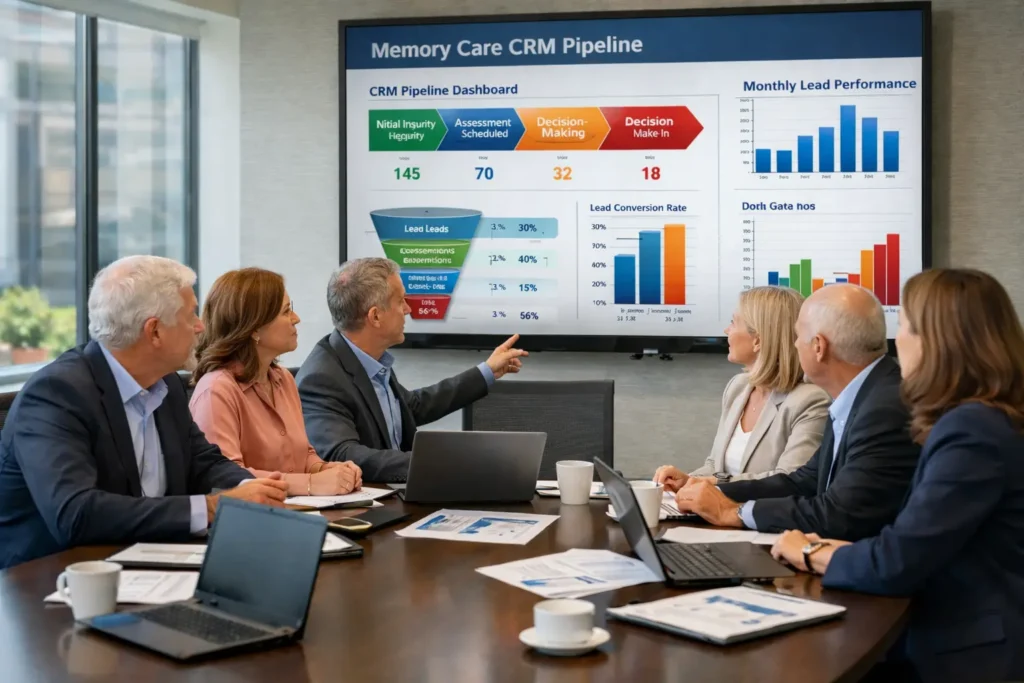
A well-configured CRM sales pipeline is the foundation of predictable census growth in memory care. I consulted for a 42-unit memory care operator in 2025 whose sales team was tracking leads in spreadsheets and email threads. Occupancy hovered at 72–76% despite decent referrals. The biggest problem was no structured pipeline – leads stalled between inquiry and tour with no visibility. We designed a memory care-specific CRM pipeline with 7 custom stages, automated workflows for clinical qualification, lead scoring based on referral source and urgency, and weekly pipeline reporting. Seven months later, lead-to-tour conversion rose from 19% to 41%, move-ins stabilized at 11–13 per quarter, and occupancy reached 88%. The Sales Director later said the CRM pipeline gave them control they never had before – they could finally see and fix bottlenecks early.
This guide is written specifically for Executive Directors, Owners/Operators, Regional Directors, and Sales Directors who want a clear, actionable memory care CRM sales pipeline setup that drives census growth.
If your memory care pipeline is still manual or lacks visibility, schedule a free CRM pipeline review call – we’ll map your current process and recommend the best setup for your occupancy goals.
Why Memory Care Needs a Specialized CRM Sales Pipeline
Memory care sales cycles are longer (60–120 days) and more complex than assisted living due to clinical needs, multiple decision-makers, and higher emotional stakes. General CRMs often fail because they lack:
- Stages tailored to clinical qualification and behavior assessment
- Automation for long nurture sequences
- Visibility into referral source performance
- Scoring for urgency and acuity fit
- Seamless handoff from sales to admissions/ops
Without a proper memory care CRM sales pipeline, operators lose 50–70% of leads before tour and struggle to forecast occupancy accurately.
Step 1: Define Custom Pipeline Stages for Memory Care
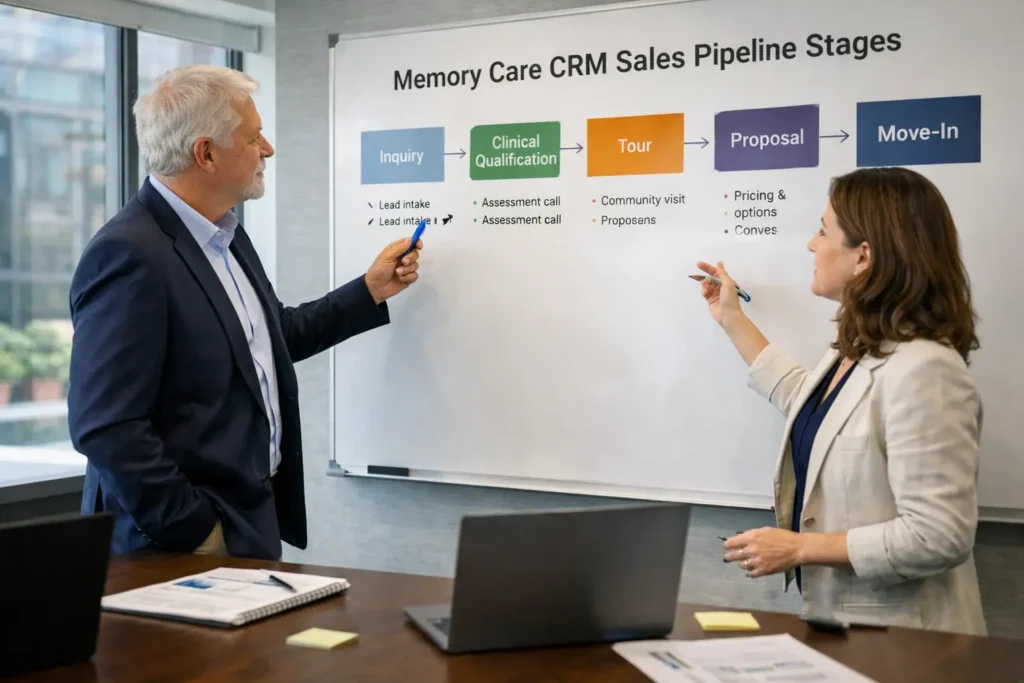
Standard assisted living stages don’t fit memory care. Use this 7-stage model that operators use successfully:
- New Inquiry – Form fill, call, referral received
- Clinical Qualification – Initial phone screen (acuity, behaviors, urgency)
- Engaged Referral – At least one meaningful clinical interaction
- Tour Scheduled – Confirmed date with family/decision-makers
- Tour Completed – Post-tour recap sent
- Proposal / Care Plan Sent – Customized plan + pricing delivered
- Move-In Confirmed – Contract signed, move-in date set
Each stage has clear exit criteria, an assigned owner, and automated triggers.
For pipeline fundamentals that apply, see Building a predictable assisted living sales pipeline.
Step 2: Set Up Lead Scoring & Tagging in CRM
Lead scoring MC helps prioritize high-intent referrals.
Simple scoring model operators use:
| Criterion | Points | Action Trigger |
| Referred by neurologist/geriatrician | +40 | Fast-track to clinical call |
| Hospital discharge planner referral | +30 | Priority tour scheduling |
| Specific behaviors mentioned | +25 | Clinical team notification |
| Decision-maker + medical POA engaged | +20 | High-priority nurture |
| Responds within 48 hours | +15 | Move to the engaged stage |
| Acuity matches community capability | +15 | Avoid mismatch risk |
Score >70 = immediate clinical follow-up. Score <40 = long nurture drip.
This scoring + tagging improves sales efficiency dramatically.
Step 3: Automate CRM Workflows for Memory Care
CRM workflows MC eliminate manual tasks and prevent drop-offs.
Recommended automations:
- Inquiry Received → Instant SMS + email confirmation
- Clinical Qualification → Auto-task for nursing team
- Tour Scheduled → Auto-reminder 48 hours prior
- Tour Completed → Trigger recap + proposal workflow
- Proposal Sent → 3-touch follow-up sequence if no response
- Stage Stalled >7 Days → Auto-escalation to manager
These workflows reduce lost leads by 40–60%.
For automation examples, see how automation improves memory care census.
Step 4: Integrate Clinical Handoff & Admissions
Seamless handoff from sales to clinical/admissions prevents information loss.
Key integration points:
- Auto-create resident record in EHR/PointClickCare on proposal acceptance
- Share referral notes, behaviors, and acuity assessment
- Auto-schedule clinical intake assessment within 48 hours
- Notify the move-in coordinator for paperwork tracking
- Weekly pipeline report showing handoff delays
This cuts move-in delays by 20–45 days.
For move-in optimization, see optimizing the memory care move-in process for higher conversions.
Step 5: Build Weekly Pipeline Reporting & Dashboards
Visibility is everything in memory care.
Essential weekly dashboard views:
- Pipeline by stage (volume & velocity)
- Lead-to-tour conversion by referral source
- Tour-to-move-in rate by acuity level
- Average days per stage
- Projected move-ins (30/60/90 days)
- Top/bottom performing communities
Use these to spot bottlenecks and replicate winning patterns.
For reporting fundamentals, see forecasting memory care census, better planning.
Step 6: Continuous Pipeline Optimization
The best memory care CRM sales pipeline evolves monthly.
Ongoing practices:
- A/B test nurture sequences and scoring weights
- Quarterly referral source audit
- Monthly team training on clinical qualification
- Pipeline clean-up (archive stalled leads)
- Benchmark against portfolio average
This discipline turns good conversion into consistently excellent conversion.
For the overall strategy, see the memory care marketing strategy census growth.
How Alchemical Marketing Builds These CRM Pipelines
We specialize in designing and implementing memory care CRM sales pipeline setups as part of full census growth systems. Our frameworks include custom stages, automated workflows, lead scoring, clinical handoff, and portfolio reporting – tailored for memory care’s unique needs.
In one recent engagement, a 12-community operator went from erratic 70–82% occupancy to stable 88–91% after pipeline standardization – adding ~$7 million in revenue.
Ready to set up a memory care CRM pipeline that scales occupancy? Secure your free pipeline design session.
Common Setup Mistakes to Avoid
From real operator implementations:
- Using generic stages – loses clinical context
- Skipping lead scoring – treats all referrals equally
- No automated handoff – information gets lost
- Poor dashboard visibility – bottlenecks go unnoticed
- No regular clean-up – pipeline fills with dead leads
Start with stages + scoring – automate one workflow – measure weekly – expand.
Your Next Step Toward a High-Performing Memory Care Pipeline
With memory care demand growing and occupancy stable around 88–89% in early 2026, operators who build a tailored memory care CRM sales pipeline will convert more referrals into move-ins efficiently.
If your current CRM lacks memory care-specific stages or visibility, schedule a complimentary pipeline review today – we’ll assess your setup and give you clear, prioritized next steps.
Here’s to more predictable move-ins, stronger occupancy, and smoother operations in 2026.
Frequently Asked Questions
How many stages should a memory care CRM sales pipeline have?
6–8 stages is ideal: Inquiry → Clinical Qualification → Engaged → Tour Scheduled → Tour Completed → Proposal → Move-In. Too few lose visibility; too many create complexity.
What’s the most important CRM workflow for memory care?
Automated clinical handoff + long-cycle nurture sequences. They prevent information loss and keep leads warm over 90–120 days.
How long does it take to set up a memory care CRM pipeline?
Basic stages + initial automation can deliver value in 30–60 days. Full optimization with scoring, reporting, and training usually takes 3–6 months.
Can one CRM pipeline handle both assisted living and memory care?
Yes – with separate stages, scoring weights, and nurture sequences. One dashboard with segment filters is ideal.
How much occupancy lift can a good CRM pipeline create?
Operators often see a 10–20% portfolio lift within 6–12 months through better visibility, faster qualification, and reduced drop-off.